
Design Approval
With your Jhoven designed, it’s time to toss them into the design que!
-Everyone can only post 3 designs per month.
You may submit 4 per month, using a Design Place Pass.
-All designs must be approved without item edits first with a couple of exceptions.
The only exceptions are;
The Brush Item, for coloring the lineartl,
And the Treasured Map Item accompanied by a background.
To Submit your Jhoven, just follow the steps below the quick links hub.
Step One
Save your image as a .PNG ( .png) at the original size.
Step Two
Upload your design to your Deviant art Sta.sh.
Step Three
Add your Import Information Template, then your Sta.sh Comment form.
Follow only one of the methods outlined below on how to submit your design.
DO NOT follow both methods at once.
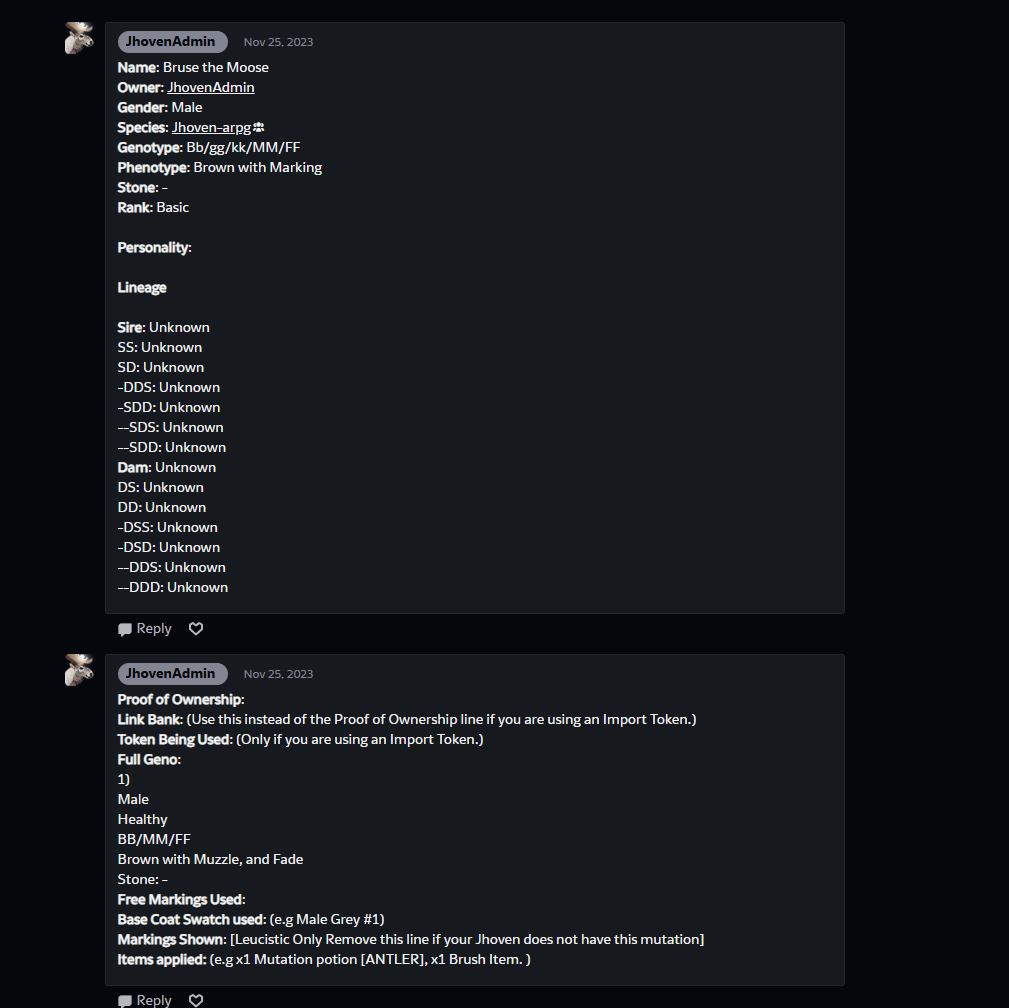
Step 1. Paste and fill out the Sta.sh comment form.
~Sta.sh Comment Form Template~
Step 2. Paste and fill out the Comment Import Information form.
Your Sta.sh file should look something like this:
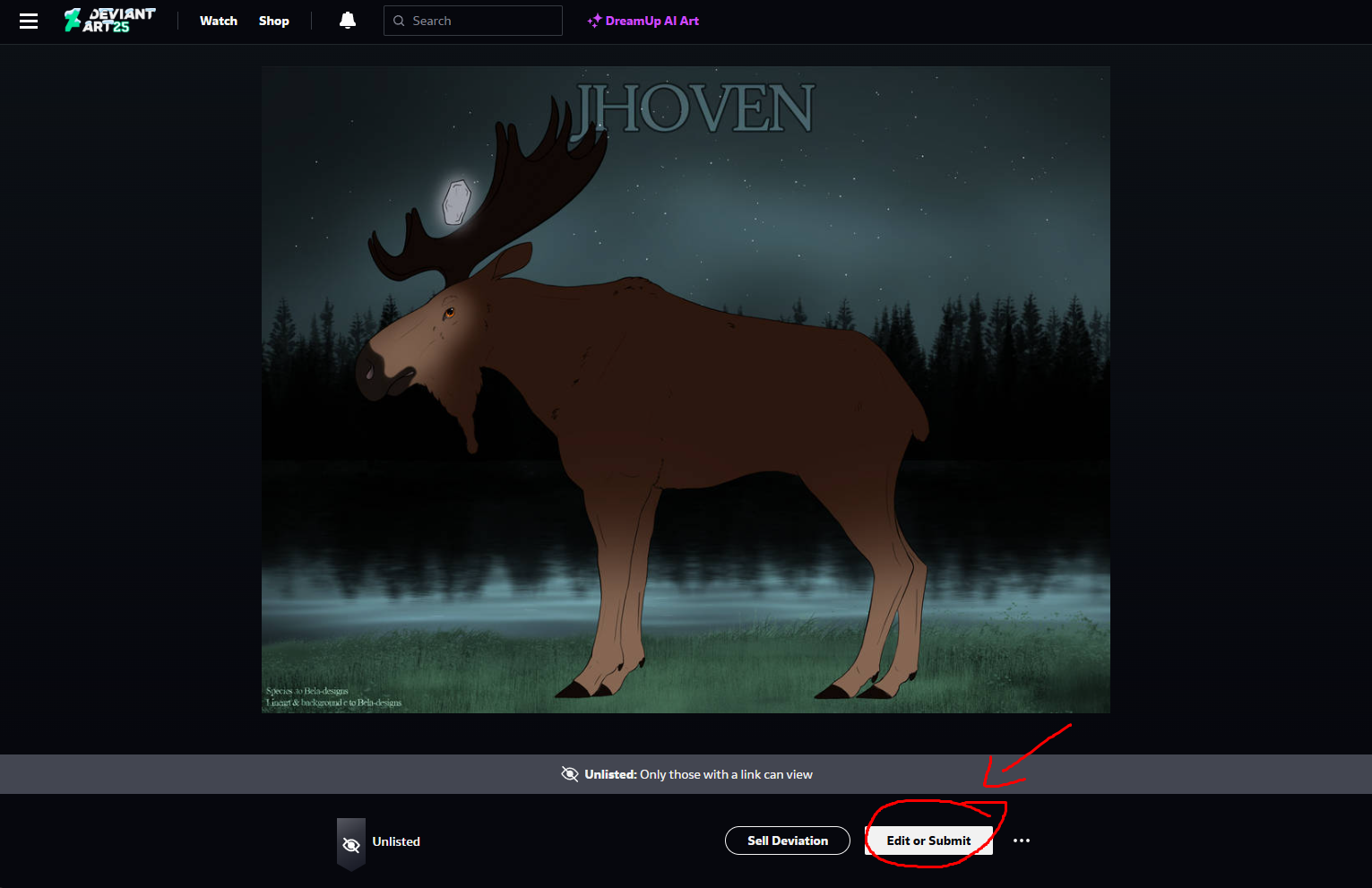
Step 1. After your Image is uploaded to sta.sh, click on the upload
Step 2. Click “Edit or Submit”
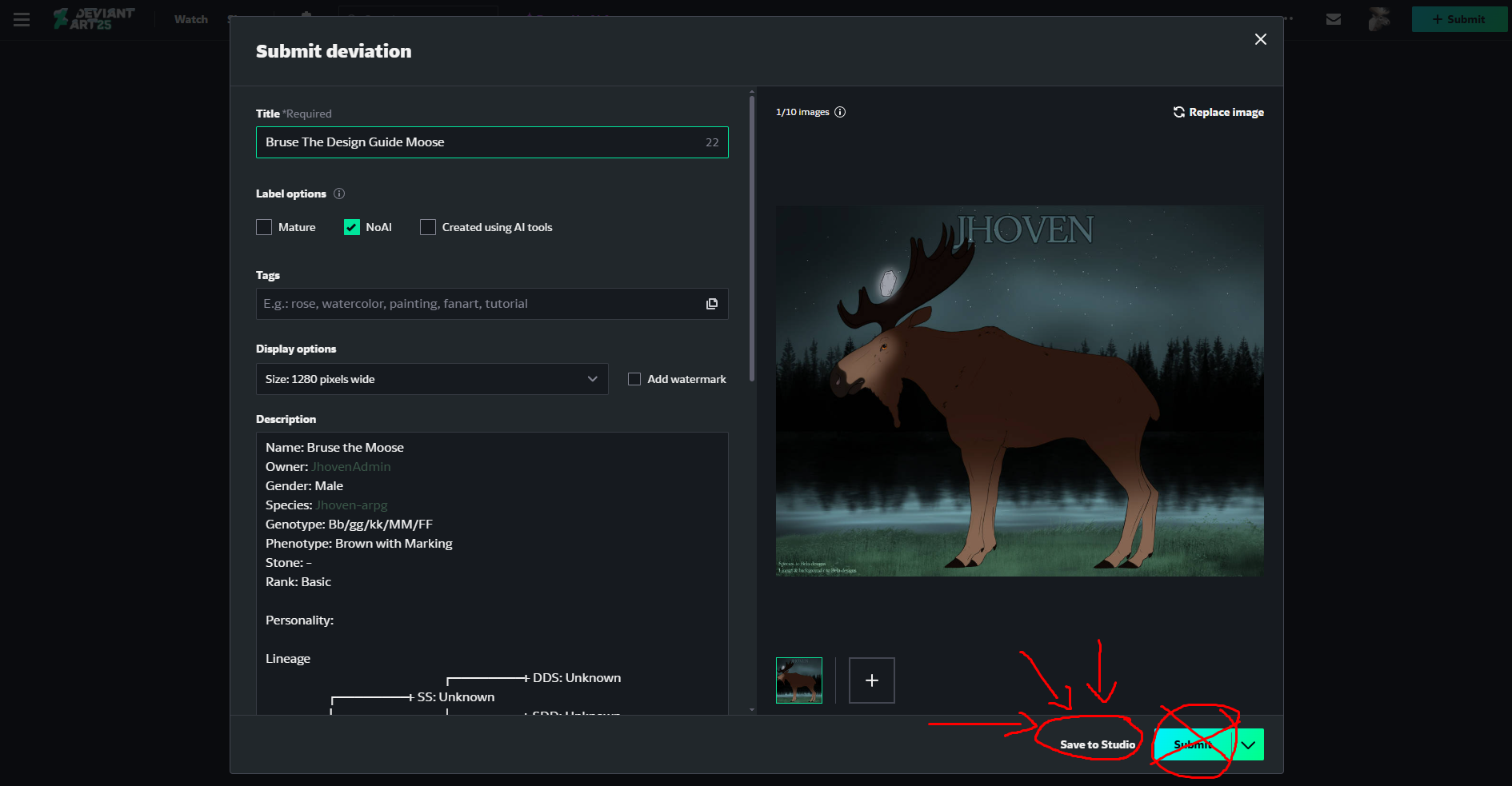
Step 3. Paste and fill out the Description Import Information Template.
Step 4. Click “Save to Studio” NEVER click “submit”
This will submit it to your deviant art gallery.
Things to note:
– If you are nervous about accidentally submitting your design to your DA, please follow the steps for ” Sta.sh comment submitting”
– Adoption Center Genos do not have any lineage.
Step Four
Reply to the Design Approval Thread, with the link to your sta.sh file.
Follow the small tutorial below to properly submit your design to the thread.
Note: You can alternatively do this with simply linking words, but the following tutorial is the most straightforward way.
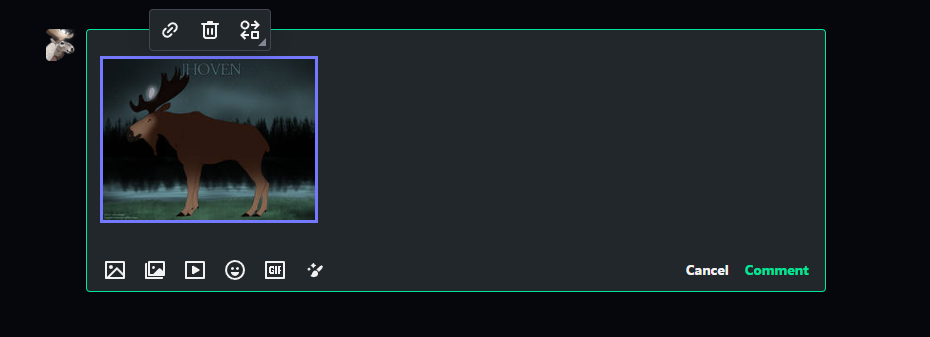
Step One: Paste your link into your reply comment
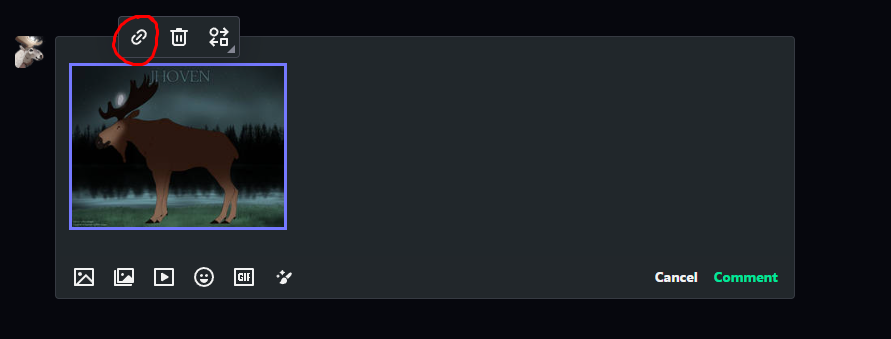
Step Two: Click on the Link Icon that pops up.
If the link icon doesn’t op up, you may have to click on the image you pasted.
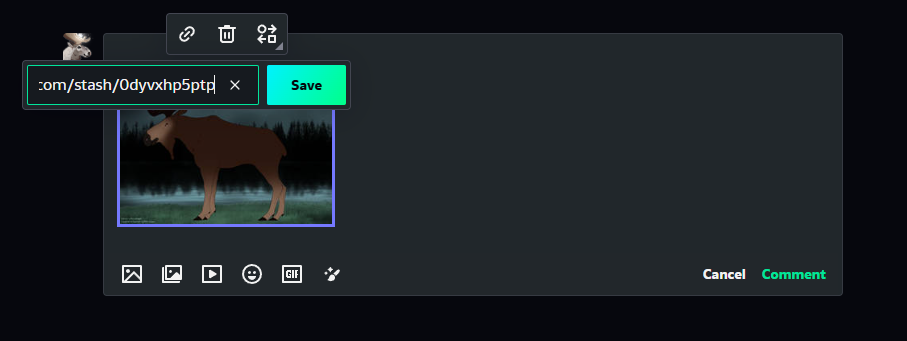
Step Three: Paste your link into the box that pops up. Then press Submit.
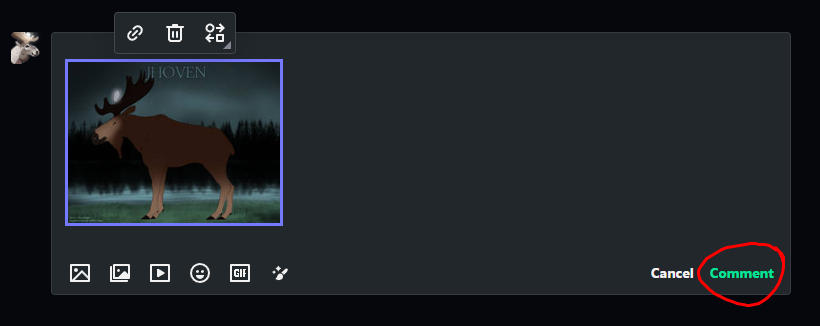
Step Four: Click the comment button then wait for an admin to judge the Design!